How to enable IPv6 on OpenVPN TAP adaper Windows
By PrivateVPN, 2017-12-27 23:24:13 in
Guides
This guide shows you how to enable IPv6 on OpenVPN TAP adapter for Windows.
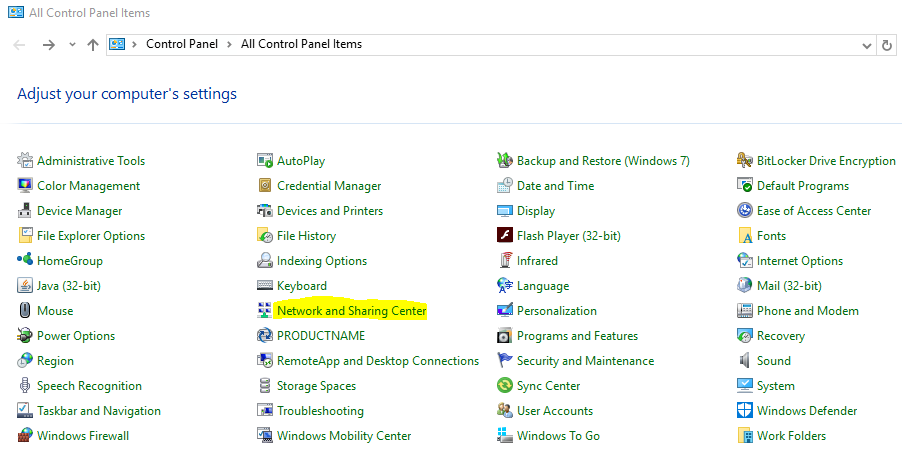
1. Go to control panel.
2. Click on
Network and Sharing Center.
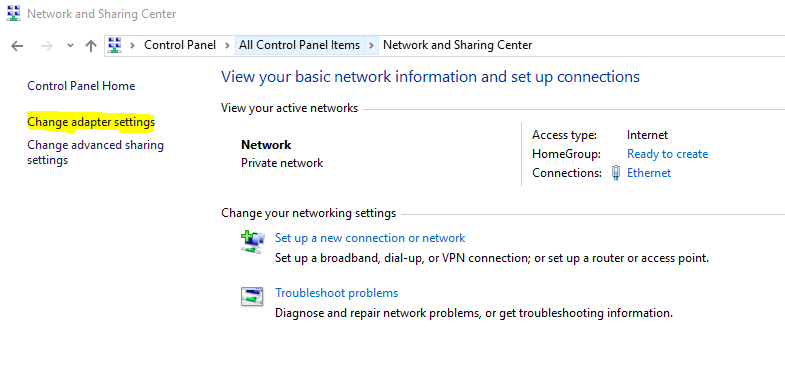
3. Click on
Change adapter settings.
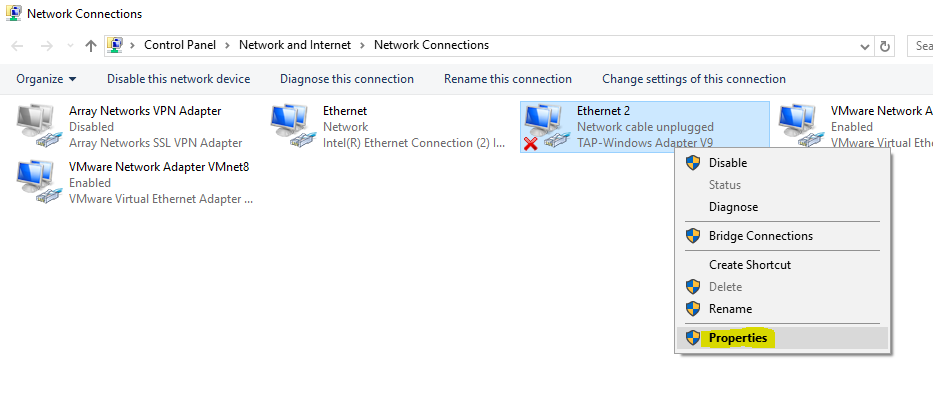
4. Right click on
TAP-Windows Adapter V9 and select
Properties.
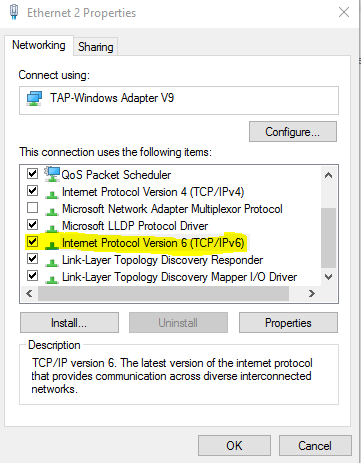
5. Enable
Internet Protocol Version 6 (TCP/IPv6) and click on
OK.